YouQR

QR Codes on Clothing Labels: Share Care and Product Information

A QR code on a clothing label can open a page about the garment: care instructions, fabric details, size information, or a contact route. The useful part is choosing information someone needs while holding that particular item.
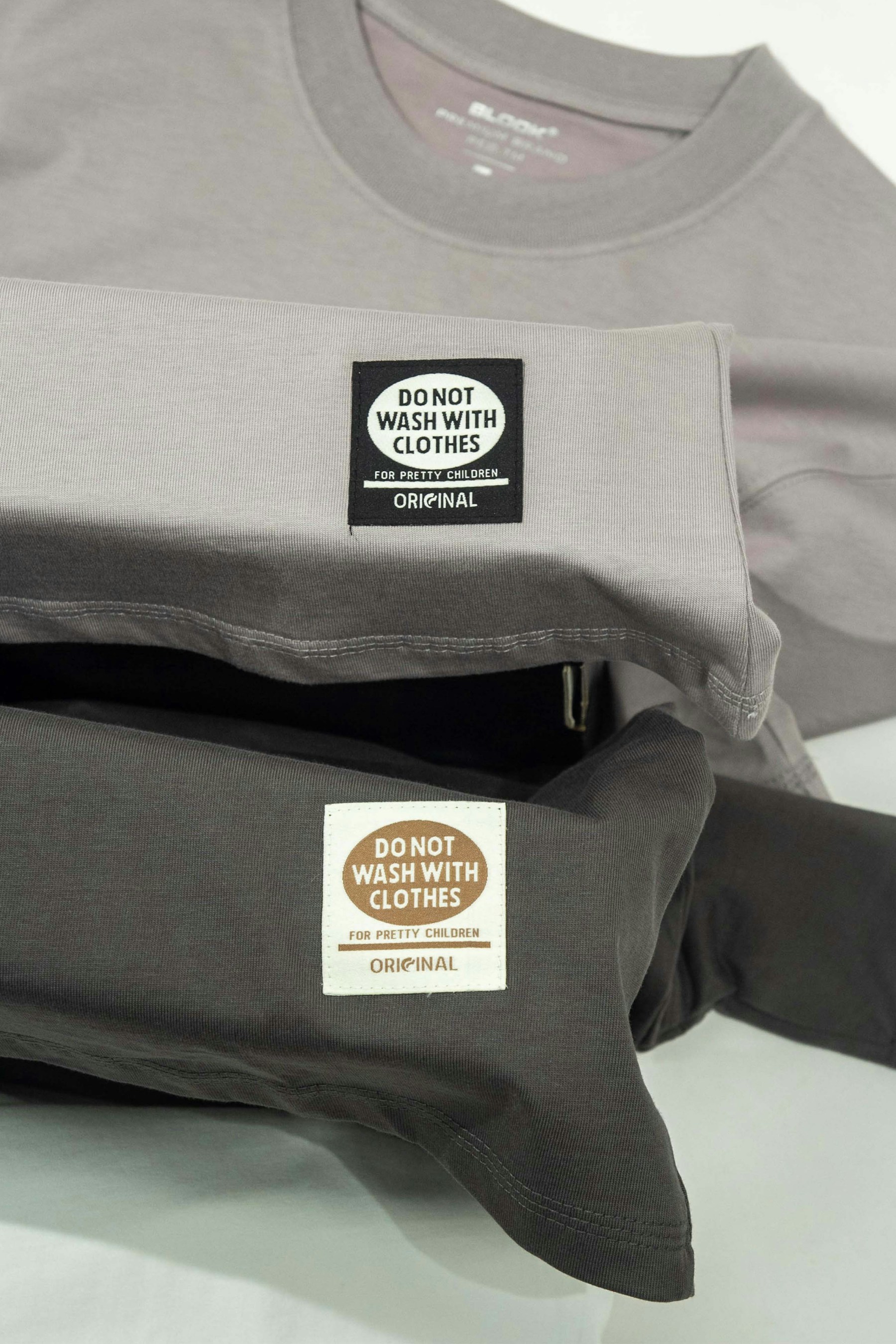
Folded grey and dark garments with visible clothing labels
Clothing labels provide a familiar setting for product-information links. Photo by TuanAnh Blue on Unsplash.

Consider an illustrative linen-shirt brand. Its hangtag could link to the approved care page for that shirt, while a printed product name helps the owner recognise it later. The page should use the brand's actual garment information, not general washing advice guessed from a photograph.

Choose the question the label should answer

“How should I care for this?” is different from “What else does this brand sell?” A clear purpose helps you choose the destination and caption. Useful content might include:

  • Approved care instructions for the exact item.
  • A readable explanation of its materials and fit.
  • A size or style reference that identifies the product.
  • A contact route for questions the page does not answer.

Keep required on-product information in place and confirm the intended label with the people responsible for your product specifications. A web page is a supporting information surface, not proof that a label meets every applicable requirement.

Connect the garment to the right page

Once the public information page exists, enter its URL into YouQR's QR generator. If each style needs its own page, organise the style-to-link mapping before creating a batch with the bulk tool.

State what happens after scanning: “Care guide for this shirt” is more informative than a generic instruction. Use the product-information approach when several kinds of help belong together.

Test where the label will live

A paper hangtag and a sewn-in fabric label face different conditions. Check the actual printing, folds, surface and viewing position. A code that works on a large proof is not automatically suitable after being reduced or attached to fabric.

A link alone does not authenticate a garment, identify a unique physical item, or create a traceability database. Those require their own verified processes. Keep the page's promise aligned with the information you can maintain.

Frequently asked questions

Should each garment have a unique QR?

Not always. Items sharing the same information may use one destination. Per-item information requires a deliberate identifier and data process.

Can I change care instructions later?

You can update a maintained destination page. Have the responsible product team verify the revised advice and its applicability.

Does a QR label prove a product is genuine?

No. A publicly readable link can be copied. Do not present it as authentication by itself.

Does YouQR manufacture fabric labels?

This workflow supplies the digital code and destination connection. Physical label production is separate.
You may also like reading

Smart Label QR Codes: Connect a Product to Useful Information

Smart Label QR Codes: Connect a Product to Useful Information

A smart label QR code links a physical label to digital information. That might be a product guide, a document, or a support experience. Calling a label “smart” does not tell you what it actually does, so start with the action a scan should enable. Product tags illustrate the physical label behind a digital information link. Photo by Haberdoedas on Unsplash . For example, an equipment supplier cou

Read more →
QR Codes on Food Packaging: What Information Should You Share?

QR Codes on Food Packaging: What Information Should You Share?

A QR code on food packaging can open a maintained page with information about the product. A useful starting point is the question a customer might ask after picking up the pack: which product is this, where can I read the approved information, and how do I contact the producer? Packaged food provides context for links to clear product information. Photo by Saravanan Narayanan on Unsplash . Imagin

Read more →
QR Code Stickers and Labels: From Design to Placement

QR Code Stickers and Labels: From Design to Placement

A QR code sticker adds a scannable destination to something you already have: packaging, a counter display, a product guide, or a storage label. YouQR supplies the digital code; printing and applying the physical sticker are separate steps. Start by deciding what a person should achieve after scanning. A sticker on a product box might open setup instructions. A sticker at a shop counter might open

Read more →
QR Code Sticker Size: Choose, Print and Test Yours

QR Code Sticker Size: Choose, Print and Test Yours

The right QR code sticker size depends on how people will scan it. A handheld product label and a notice viewed across a counter need different treatment. Choose the size around the use, then test a finished sticker on the intended surface. Also distinguish the sticker's total dimensions from the space used by the QR pattern. Your label needs room for the pattern, its clear margin, and any caption

Read more →
QR Code Not Scanning? Check the Image, Link and Destination

QR Code Not Scanning? Check the Image, Link and Destination

When someone says a QR code is not working, first ask what happens on their phone. Does the camera fail to recognise the pattern? Does it display a link that will not open? Or does the page open and deny access? Those are different problems. Finding the failing step helps you make a useful change instead of reprinting a working code or repeatedly editing a destination that the camera cannot read.

Read more →
How to Print a QR Code That Scans Clearly

How to Print a QR Code That Scans Clearly

To print a QR code, download a suitable image, place it in your artwork without stretching or cropping it, and test a real printed copy. The file can be correct while the final print still needs adjustments. Think of the test print as part of making the code. A code viewed on a bright laptop screen has not yet been checked on a small label, a curved bottle, or a poster behind glass. Use a test pri

Read more →